Shopping cart and checkout HTML templates, connected.
Follow a selected product through quantities, delivery and order review. Vender supplies the frontend journey; a live commerce service owns the real transaction.
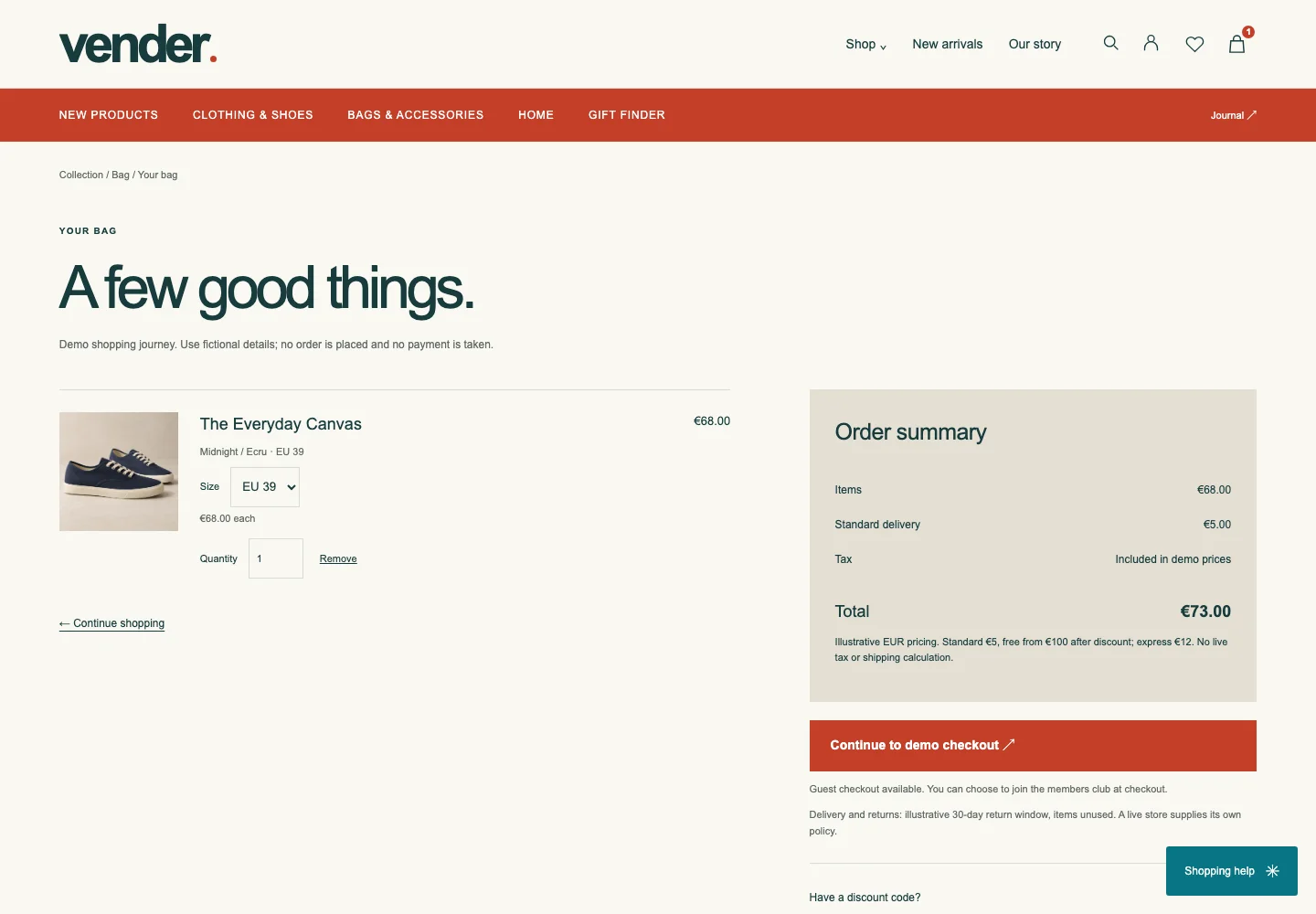
1. Populate the bag.
Open the canvas product, choose a size and add one pair. Continue to the bag to change quantity or size, remove a line, or return to the collection. Remove every item to inspect the empty state and its recovery link.
Start with a product ↗ · Open the bag ↗2. Check discounts and delivery together.
The demo code WELCOME10 applies a 10% discount. Standard delivery is €5, or free when the discounted subtotal reaches €100. Express delivery is €12. These are illustrative rules, not your store’s policy.
| Line | Amount |
|---|---|
| Subtotal | €68.00 |
| WELCOME10 | −€6.80 |
| Standard delivery | €5.00 |
| Total | €66.20 |
Try increasing the quantity, removing the discount and switching delivery. Check that the summary changes consistently in the bag and checkout.
3. Review the checkout states.
Continue from the bag with fictional contact and address details. Test required fields, guest checkout, a different billing address and delivery selection. Review the order before opening the local confirmation.
Sign-in and social-login choices illustrate the interface; no provider authenticates a customer. Joining the members club does not create a real membership. The confirmation is a demonstration, not proof of payment or shipment.
4. Replace the demo boundaries deliberately.
- Products & totals
- Use platform-owned variant IDs, stock and server-calculated discounts, delivery and taxes.
- Payment
- Connect the chosen provider and its confirmed payment/order state. Never submit payment details to a static demo form.
- Customer & orders
- Implement authentication, order persistence, confirmation messages and access control through the actual services.
- Recovery
- Test unavailable items, rejected payments and interrupted checkout before selling.
WooCommerce and Shopify require native implementations. The HTML package is a design and interaction reference, not an installable theme for either platform.
Read the platform mapping ↗ · Explore reusable UI ↗